How do I export my LinkedIn connections to Juicebox?
Last updated: June 25, 2026
To export your connections to Juicebox, follow the steps below:
1. Click the following link to navigate to LinkedIn’s data export interface. If the link does not work, please follow the steps in this help article.
2. In the interface, select Download larger data archive (option 1) and then click the below button “Request archive”.
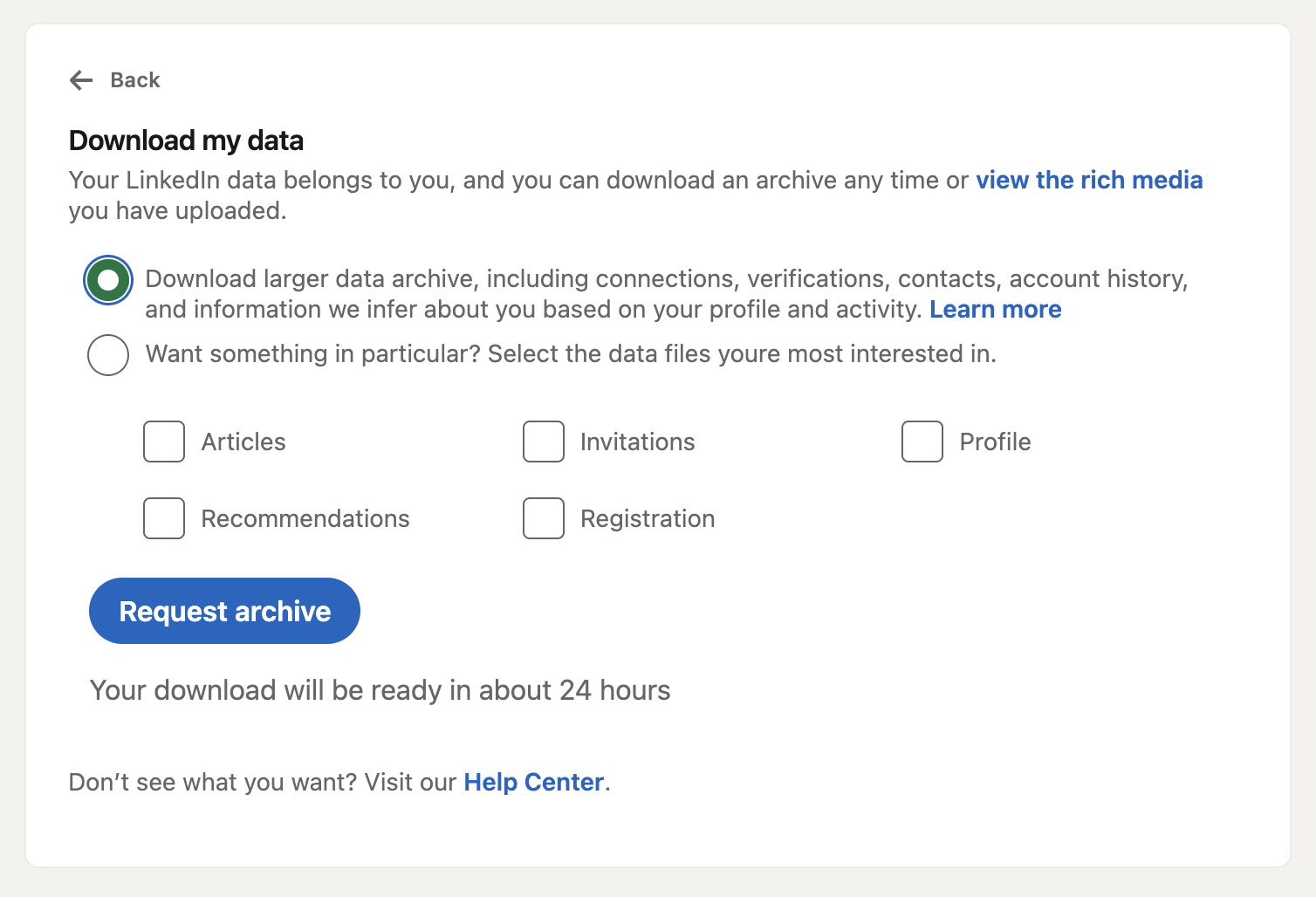
3. Within 24 hours, you should receive an email from LinkedIn containing a CSV file called "Connections". Download that file and head to the Juicebox platform. On Juicebox, in the Integrations tab, select LinkedIn and upload the CSV file.
If you receive a ZIP file instead of a CSV file directly from LinkedIn in step 3, this is normal; simply extract the ZIP file to access the "Connections.csv" file inside, then upload that CSV file to Juicebox as described. Note that Juicebox supports up to 500 profiles per upload, so if your connections file contains more than 500 rows, you'll need to split it into multiple CSV files of 500 rows or fewer and upload them separately.
Troubleshooting CSV Import Issues: If your CSV import fails, check whether your LinkedIn export file contains a "Notes" section at the top before the connection data. Open the CSV file and verify that the very first row starts with the header: First Name, Last Name, URL, Email Address, Company, Position, Connected On. If you see notes or other text above this header, delete those rows so the header becomes the first row, save the file, and re‑upload it to Juicebox.