How can I cancel my subscription?
Last updated: June 2, 2026
To cancel your subscription, please click on your name/organization at the bottom left corner of the screen.
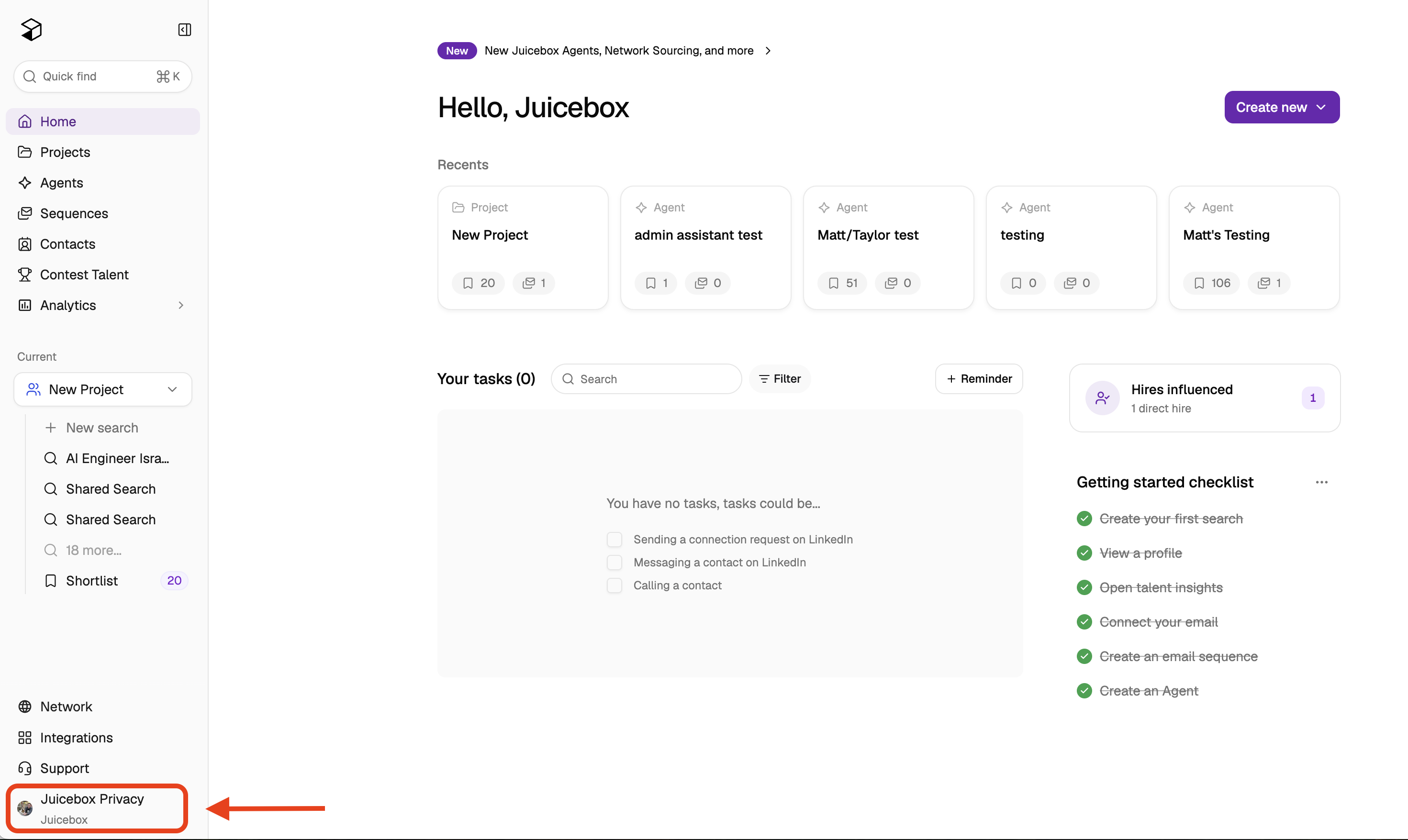
Next, select "Account Settings," then "Plan and Billing," then "Manage Billing."
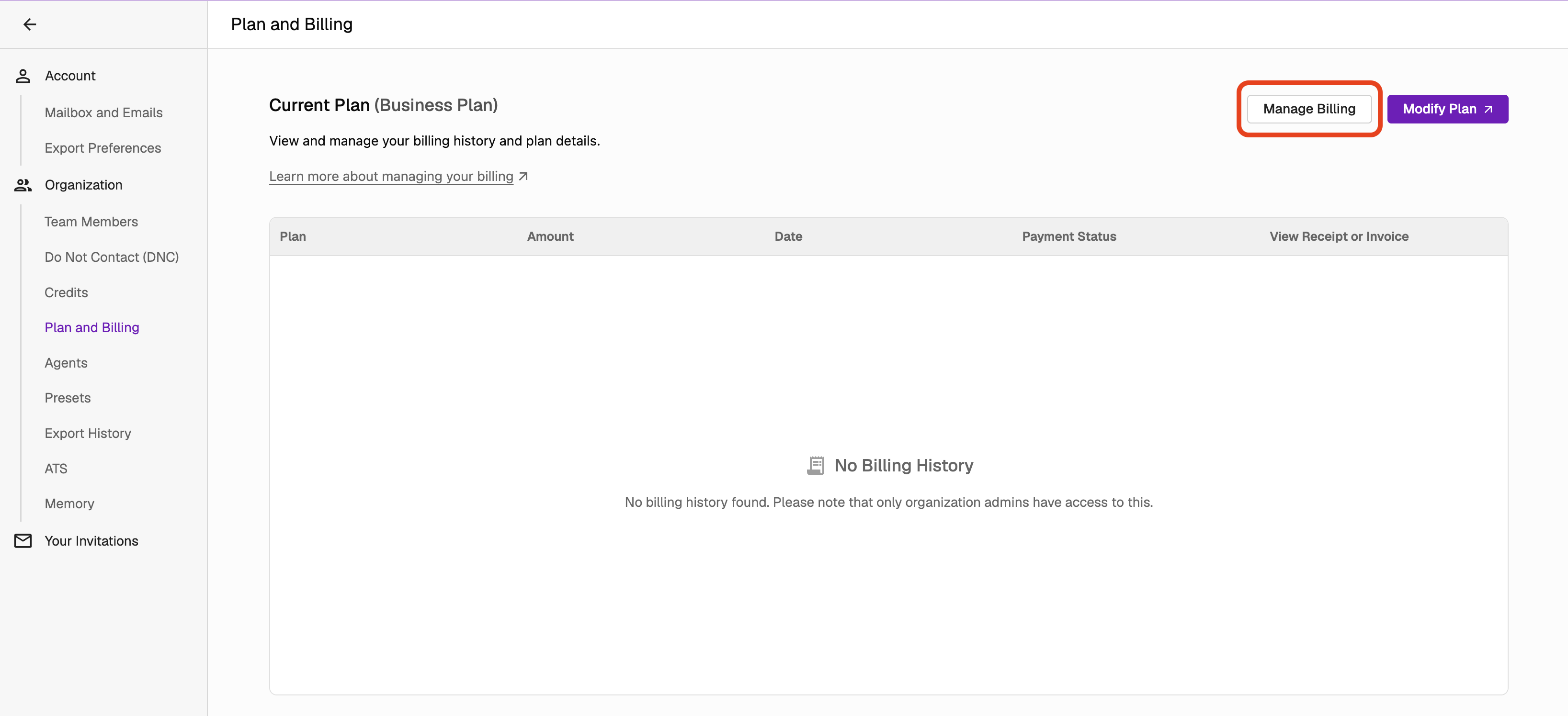
From here, you can change your billing information, payment method, or cancel your plan.
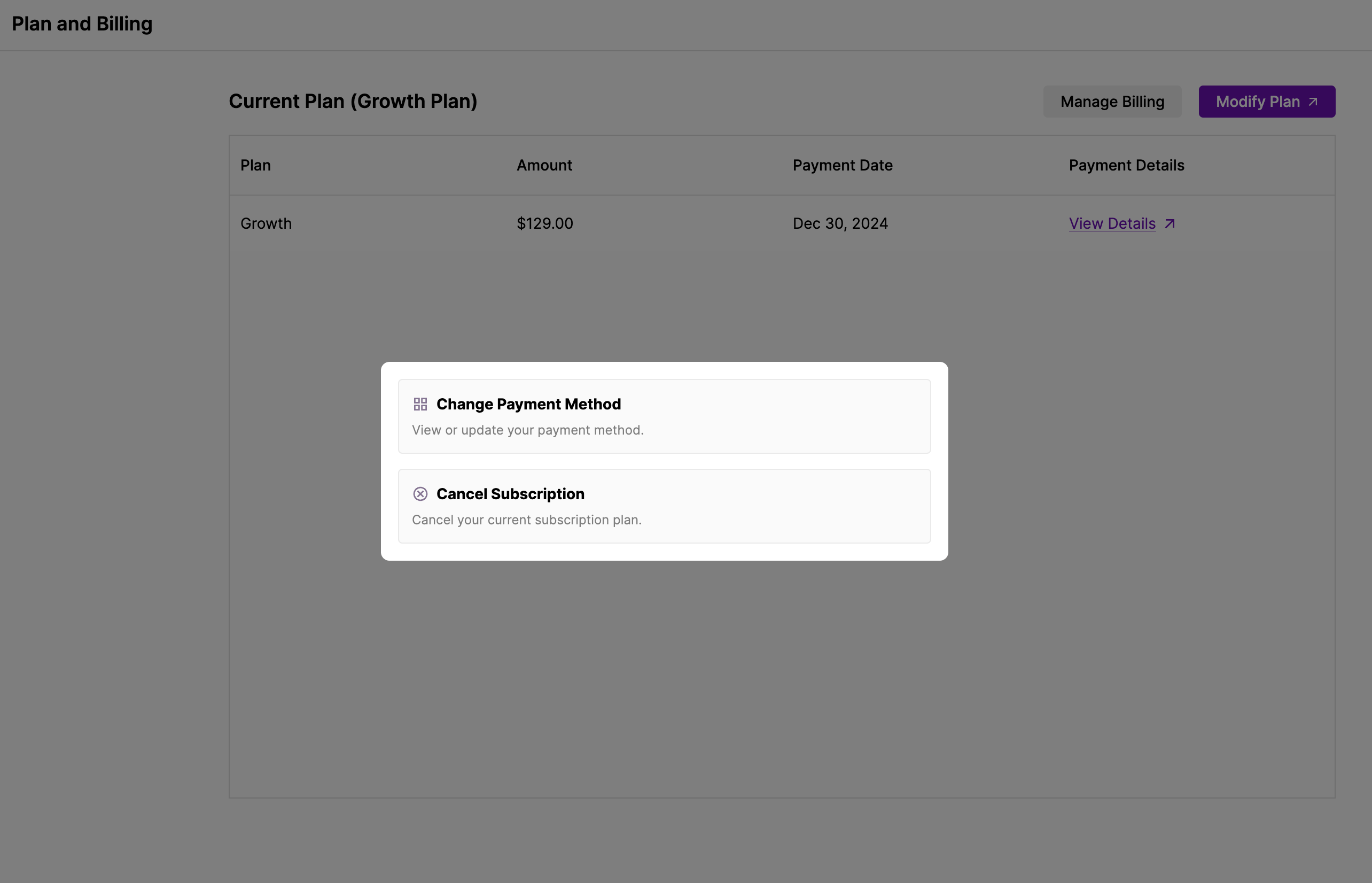
Now, you have the option to either cancel your plan or pause.
Important: Pausing your subscription is different from canceling it. If you pause your subscription, you will still be charged for renewal after the pause period ends. To fully cancel and avoid future charges, you must explicitly cancel the subscription by clicking "Decline Offer" (not just pause it).
Please click on "Decline Offer" if you wish to cancel.
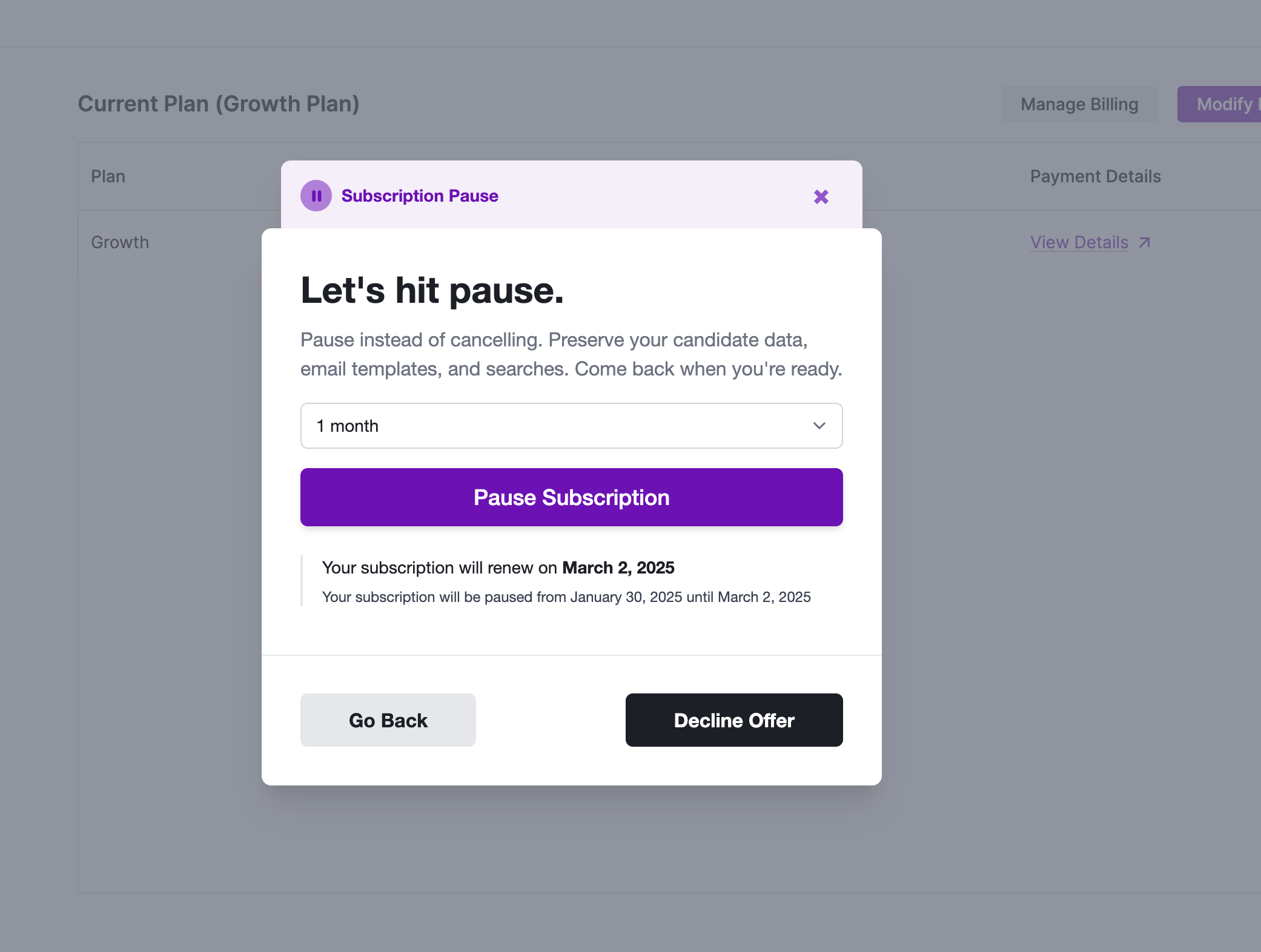
Important: When you cancel your subscription, you will not be charged again and your cancellation will take effect at your next renewal date. You will continue to have access to your subscription until that renewal date. Note that cancelling prevents future charges but does not provide a refund for the current billing period.
What happens to my data? All your account data, including projects and sequences, remains accessible after cancellation. If you reactivate your subscription in the future, you'll regain full access to all your previous data.
In case you have any further questions or concerns, please do not hesitate to reach out to us at support@juicebox.work. Our support team can also assist with cancelling your subscription and processing refunds for recent charges if needed.