How can I add team members to the Growth Plan?
Last updated: June 25, 2026
The Growth plan allows for up to five (5) seats. Each seat comes with an additional set of 1,000 credits. If you would like to add more than five team members, please consider upgrading to the Business Plan.
Note: The Starter plan only allows for one user. To add team members, you must first upgrade to the Growth plan.
If your team member already has an account on Juicebox (including a free account), you can invite them directly through the Team Members settings. When they accept your invite, they will be automatically moved from their current plan to your Growth plan workspace.
Note: The same invitation process works for both new users and existing account holders. Existing users will see the invite in their account and be transferred to your paid workspace upon acceptance.
If your team member does not have an account on Juicebox yet, please click on your name/organization at the bottom left corner.
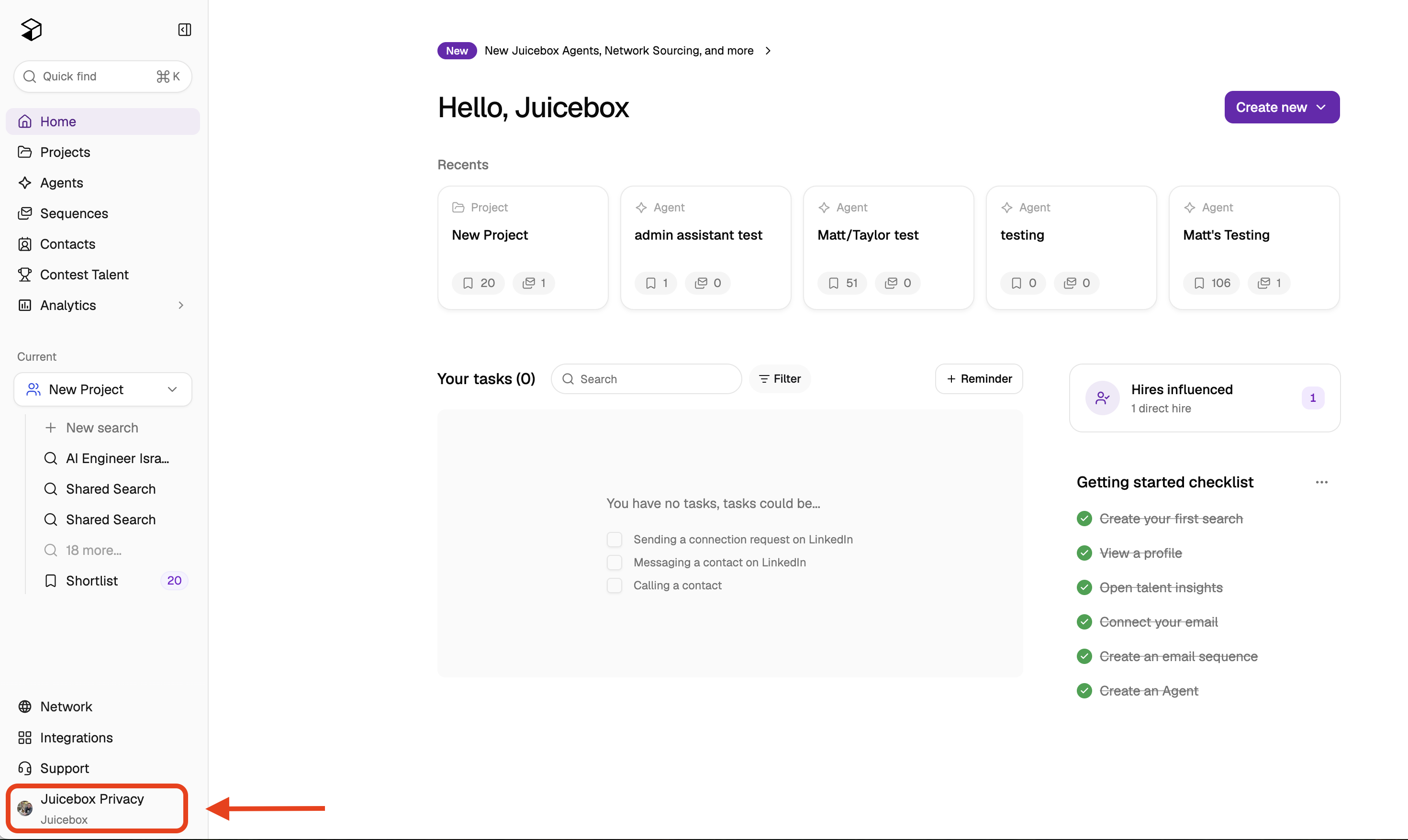
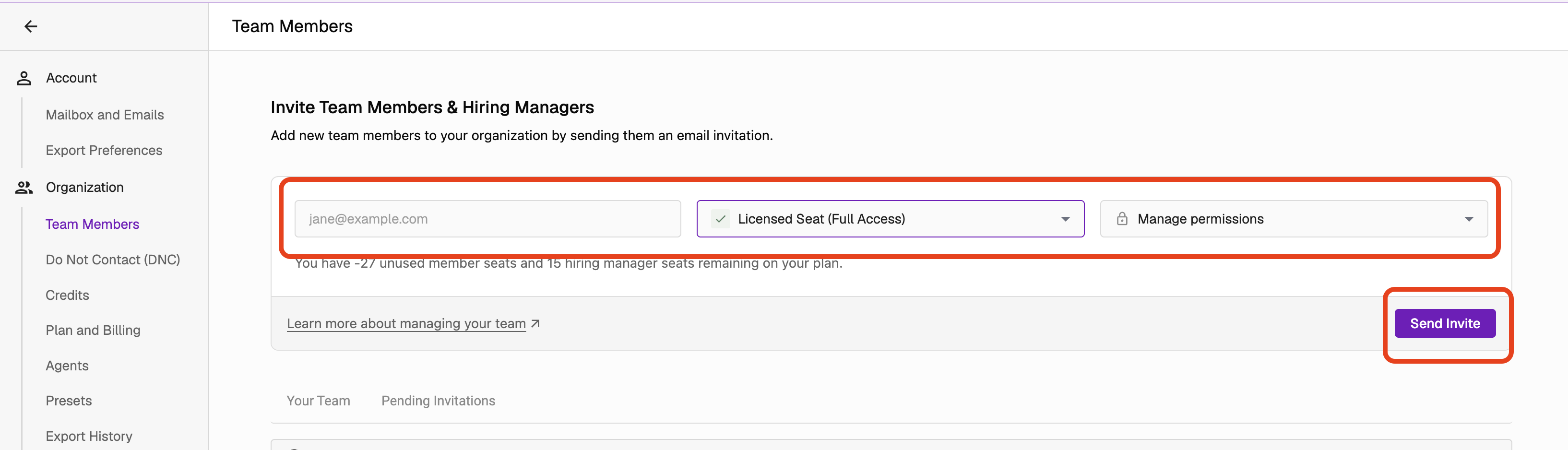
Next, select "Invite Members." You can then send an email invitation to your team member to join the organization with you.
Adding Additional Seats
If you need to purchase additional seats before inviting team members, you can do so through your account settings without contacting support:
Click on your profile icon at the lower left corner of Juicebox, then select "Account Settings"
Navigate to "Plan and Billing"
Select "Modify Plan"
Increase the number of seats to your desired amount
Confirm the changes
When inviting a team member, a popup will appear indicating you’ll be charged based on your contract. Click accept to complete the invitation.
Once you send the invitation, the team member will need to accept it to join your organization. If they log in and see a "free trial" status instead of being part of your Growth Plan organization, they should check for pending invites at https://app.juicebox.ai/account?tab=invites and accept the invitation.
If you have any further questions or concerns, please do not hesitate to reach out to us at support@juicebox.work.