How can I reduce the number of seats I’m paying for?
Last updated: June 2, 2026
Within a Juicebox account, access is managed through two models: seats and users.
Seats - ie, licenses which allow for use of the platform.
Users - ie, accounts / recruiters / separate users who have access to the platform, via a seat.
In some cases, the number of seats a plan/subscription has is equal to the number of users on that plan. However this is not always the case, as some customers may buy more seats than they have users of the plan - for example, to increase the number of contact and export credits they are able to use. To remove users, please see this article.
HOW TO REMOVE SEATS
Important: Before reducing seats, you must first address the following:
Cancel any pending workspace invitations, as they count toward your total seat count and will prevent downgrades.
Remove active users from your workspace to match your desired seat count - the number of seats cannot be less than the number of active users on your account. If you have more active users than the seat count you want, you’ll encounter an error. See this article for instructions on removing users.
Click on your name/organization at the bottom left corner of the screen
Click "Account Settings"
Click "Plan and Billing"
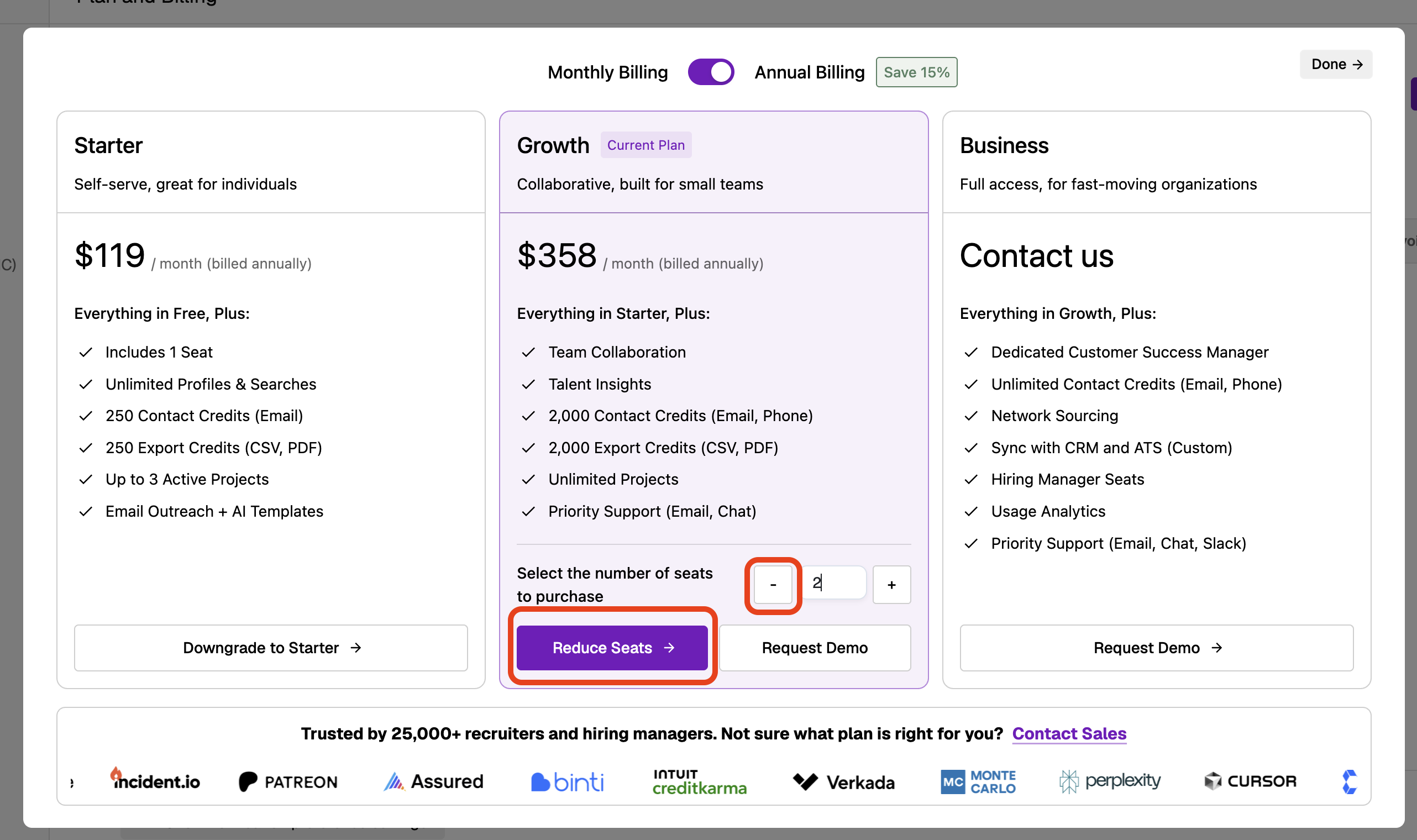
Click "Modify Plan"
There you will see a window where you can reduce the number of seats on your plan and update your billing appropriately.
Note: If you have a discount applied to your subscription, the system may prevent you from reducing seats through self‑service. In this case, you’ll need to contact support to complete the seat reduction. Make sure to remove any unnecessary users from your account and cancel pending invitations first before reaching out.
What happens when you remove a seat:
Seat changes take effect at your next billing cycle
Credits associated with removed seats remain in your account and can still be used
No prorated refunds are offered when seats are removed
If you re‑add a user later, their account data (including saved filters and settings) will be preserved