How do I remove users from my workspace?
Last updated: July 7, 2026
Note: Removing a user from your workspace frees up their seat so another user can take it, but it does not reduce the total number of seats in your billing plan (i.e., you will still be charged for the same number of seats). If you want to reduce the number of seats you're paying for, please see this article.
To Remove Users
Click Account Settings
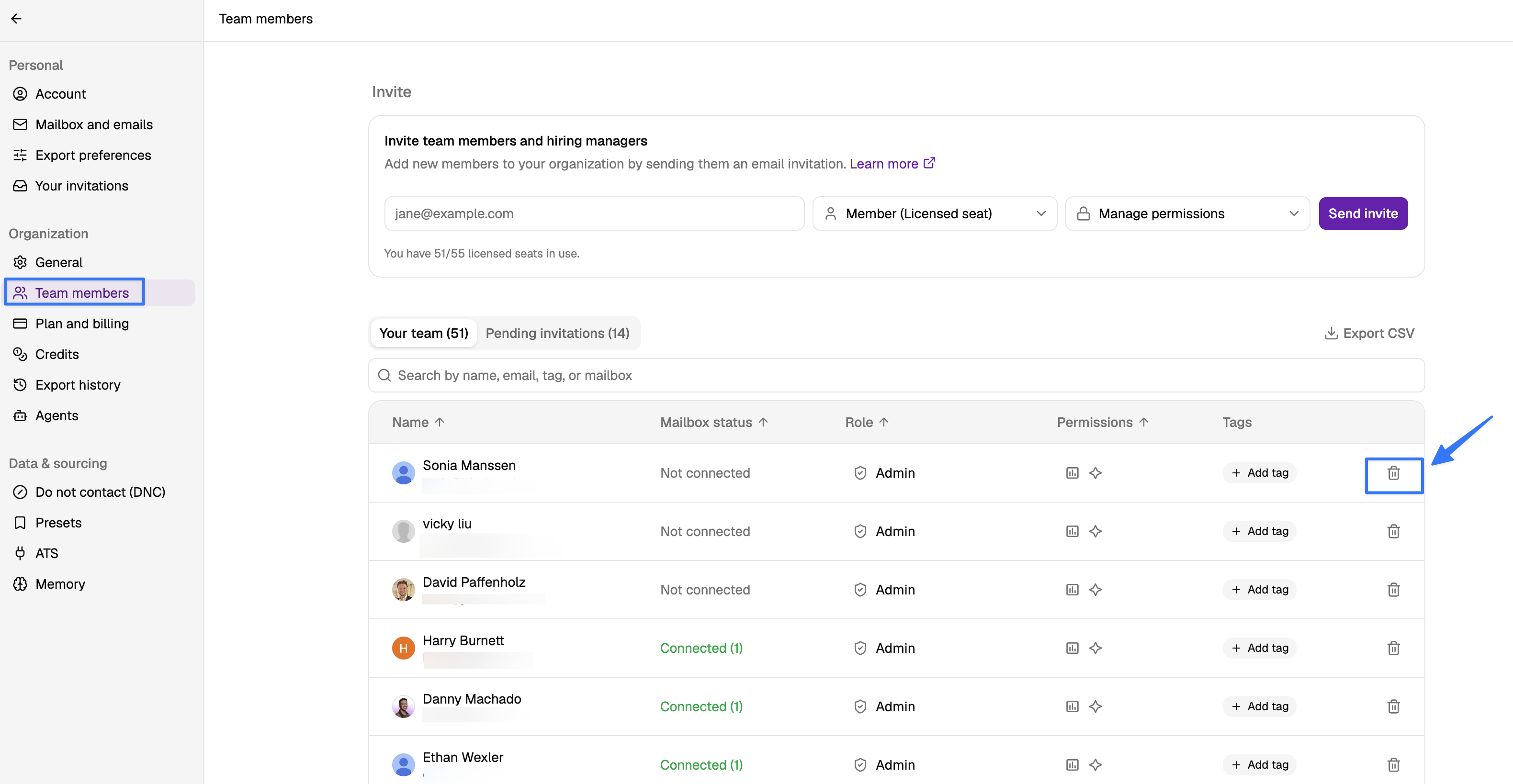
Click Team members
From there, find the user you'd like to remove from the workspace and click the trashcan icon to remove them.
After removing a user, their seat becomes available for another team member to use. Simply invite the new user and they will automatically take the freed-up seat without requiring a plan upgrade.