How can I change my password?
Last updated: July 2, 2026
Please note: You can only change your password if you used the "sign up with email" function. If you signed up using Google, you will need to change your password through Google.
If you signed up with your email, please follow these steps to change your password:
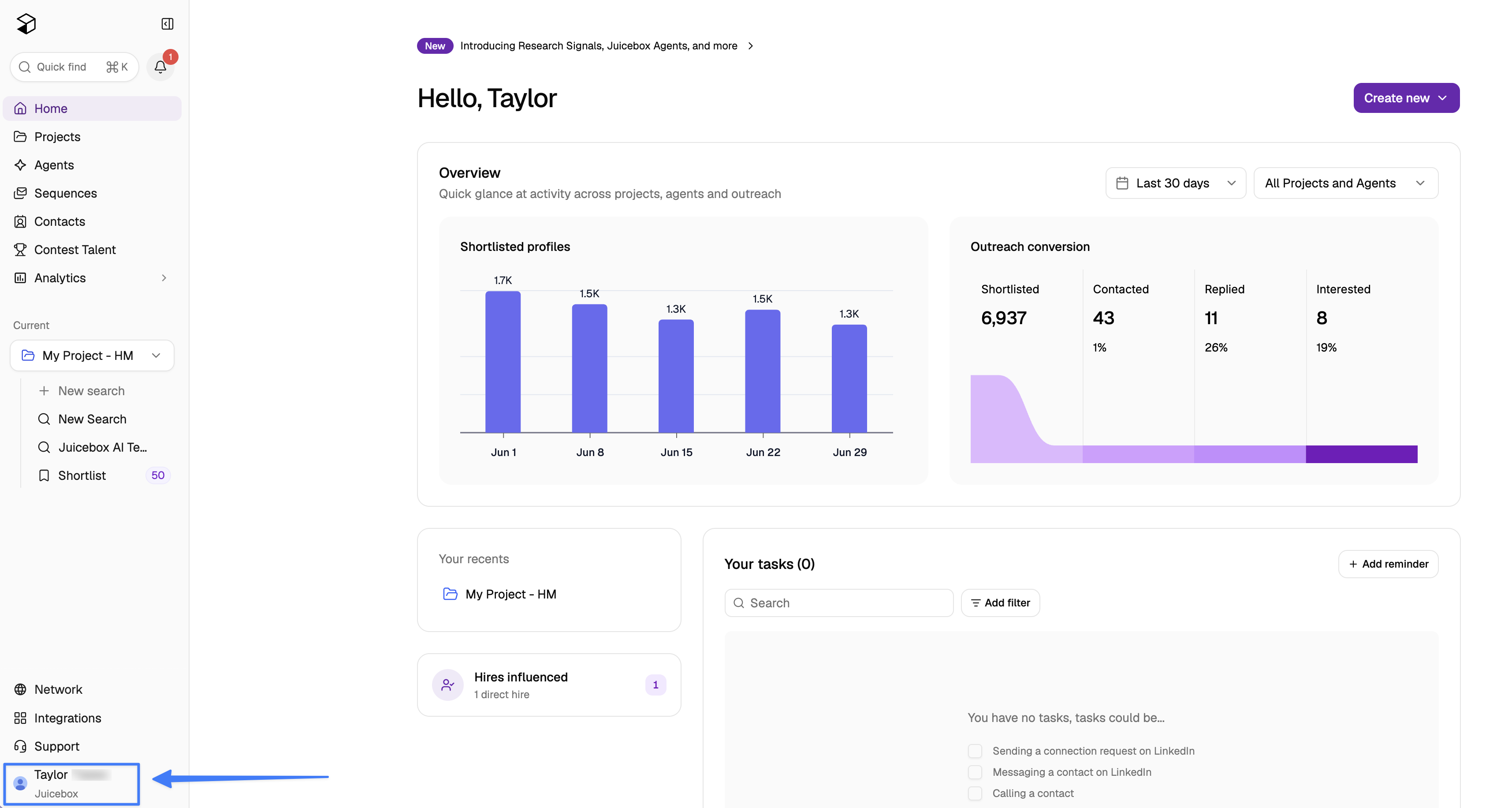
First, select your profile in the bottom left of the screen.
From here select Account Settings > Account > Password > Reset Password.
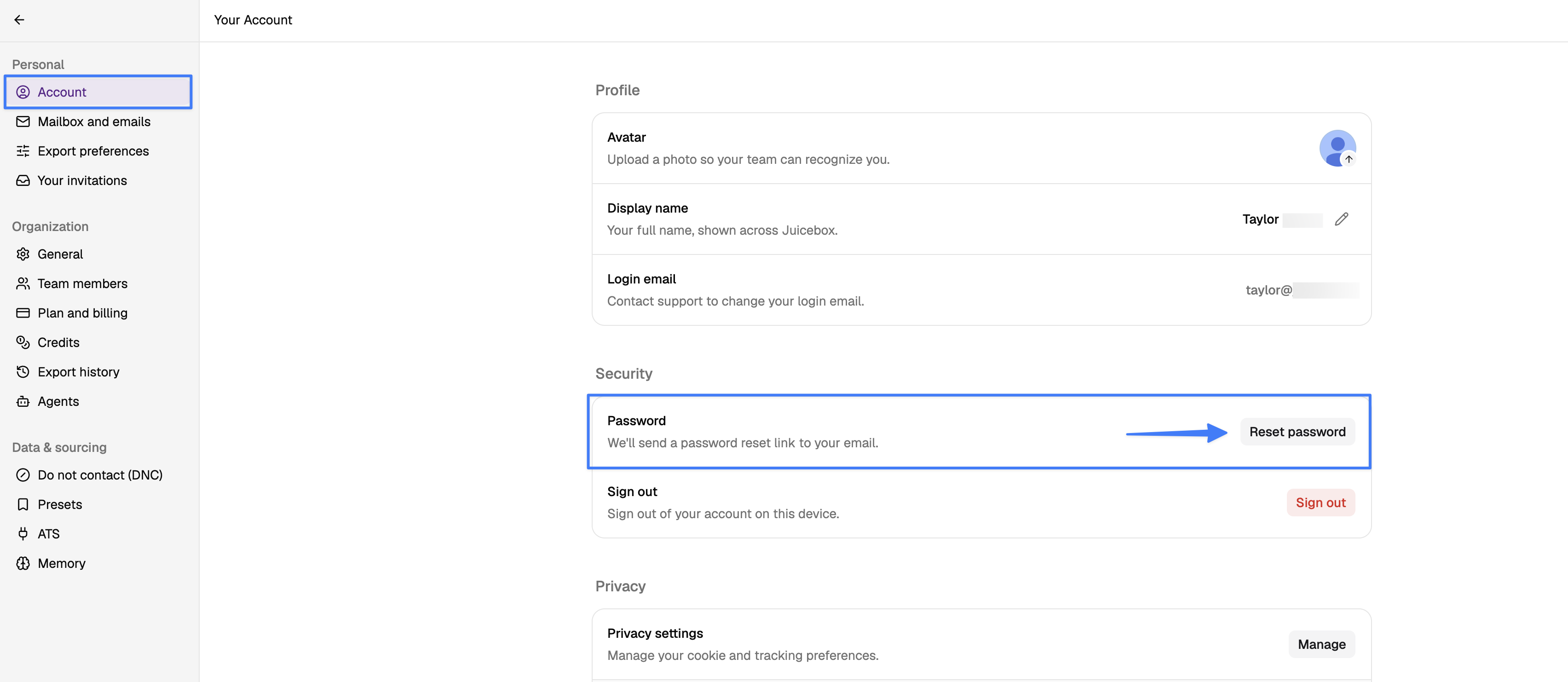
You should then receive a reset link to your login email address.
In case you continue to face any issues, please do not hesitate to reach out to us using the in-app support button or by reaching out at support@juicebox.work.