Troubleshooting Login Issues and Password Reset
Last updated: July 7, 2026
If you're having trouble logging into your Juicebox account, follow these steps to regain access:
Reset Your Password
Visit the login page
Click on the "Forgot Password" link
Enter your email address
Follow the password reset instructions sent to your email
Create a new strong password
Note: If you originally signed up using Google OAuth, you can use the password reset process to set up email/password authentication for your account. This allows you to log in with either method.
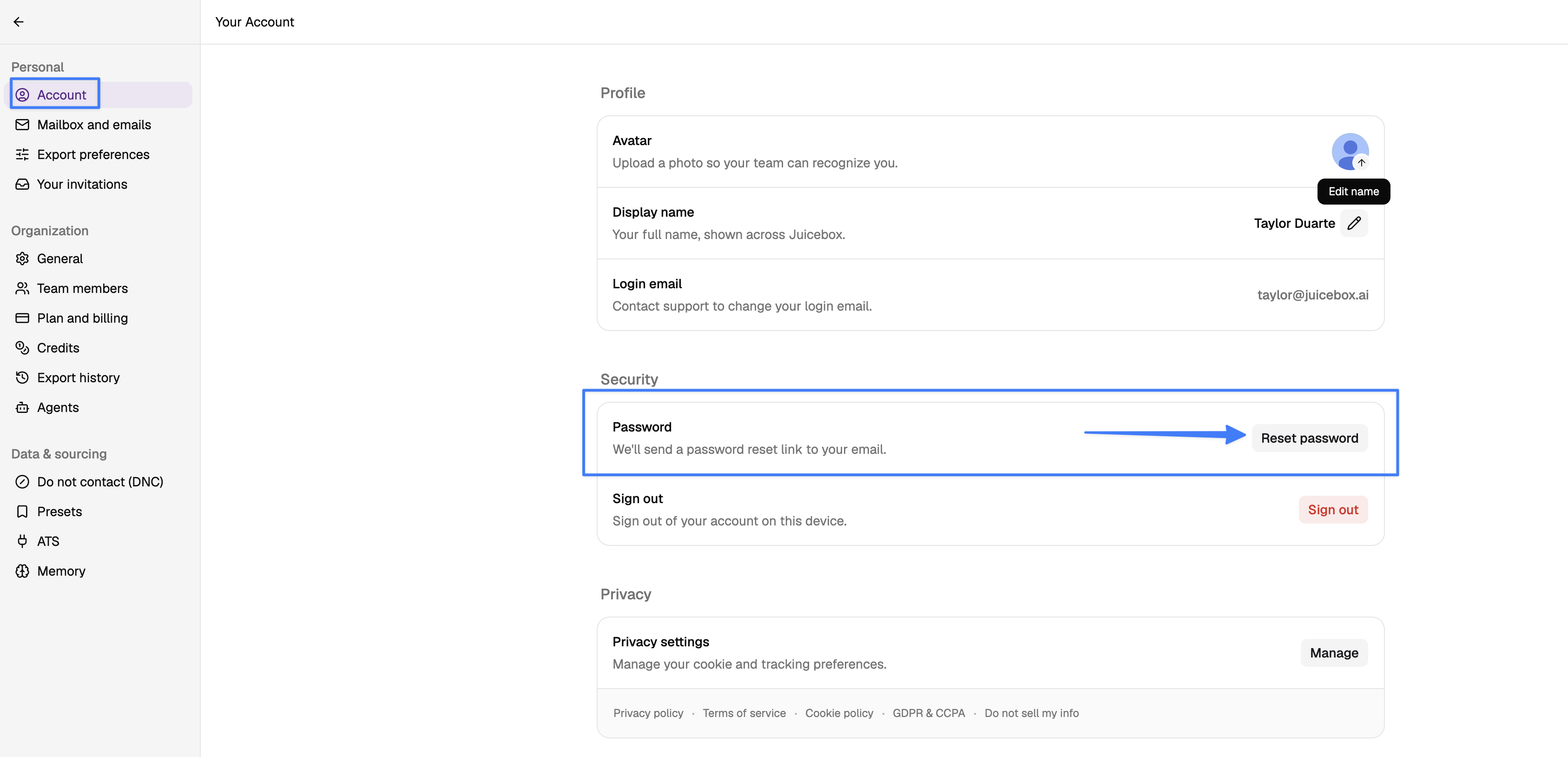
Already Logged In?
Head to Account settings
Go to Account
Select "Reset password"
The link will be sent to your email address
Still Can't Log In?
If password reset doesn't resolve the issue, try these additional steps:
Clear your browser cache and cookies
Try using an incognito or private browsing window to reset your password
Verify you're logged into the correct email account - If you have multiple Juicebox accounts (e.g., a free trial and a paid account, or personal and work emails), you may be logged into the wrong one:
Check which email you're currently logged in with by visiting Your Account settings
If you're logged into the wrong account, click on your name at the lower left side of the screen and select "Sign out"
Log back in using the correct email address and password
If needed, use the password reset steps above for the correct account
Try using a different browser
If using a password manager, try entering credentials manually
Note: If you have multiple Juicebox accounts with different email addresses, your browser may automatically log you into the wrong account due to saved credentials. Using an incognito/private window can help bypass this issue.
If you continue to experience login issues after trying these steps, please contact our support team for further assistance support@juicebox.ai.