Account Roles and Permissions
Last updated: June 24, 2026
Juicebox has multiple roles and permissions, depending on the account type and configuration.
Default Roles in Juicebox
Roles are organized into four permission levels: Admin, Read-Only Admin, Licensed Seat, and Hiring Manager. The most commonly assigned role is Licensed Seat, which provides full access to Juicebox’s core sourcing workflows, including candidate search, project creation and management, candidate review, shortlisting, and outreach execution.
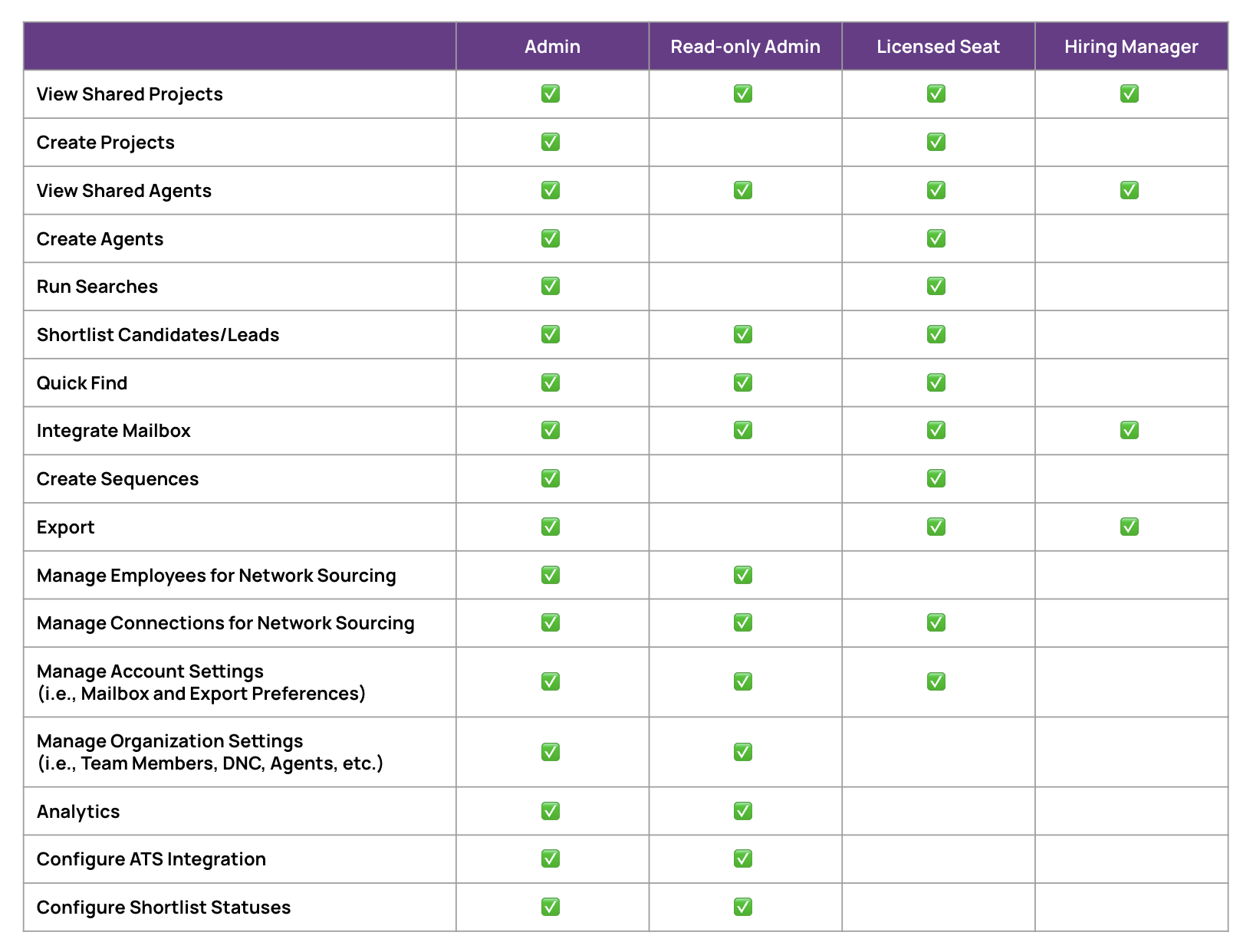
Please note, the Read-Only Admin and Hiring Manager licenses are view-only, and will not be able to perform any sourcing or outreach activity across candidates or the platform.
Special Permissions: Agents, Tags and Analytics
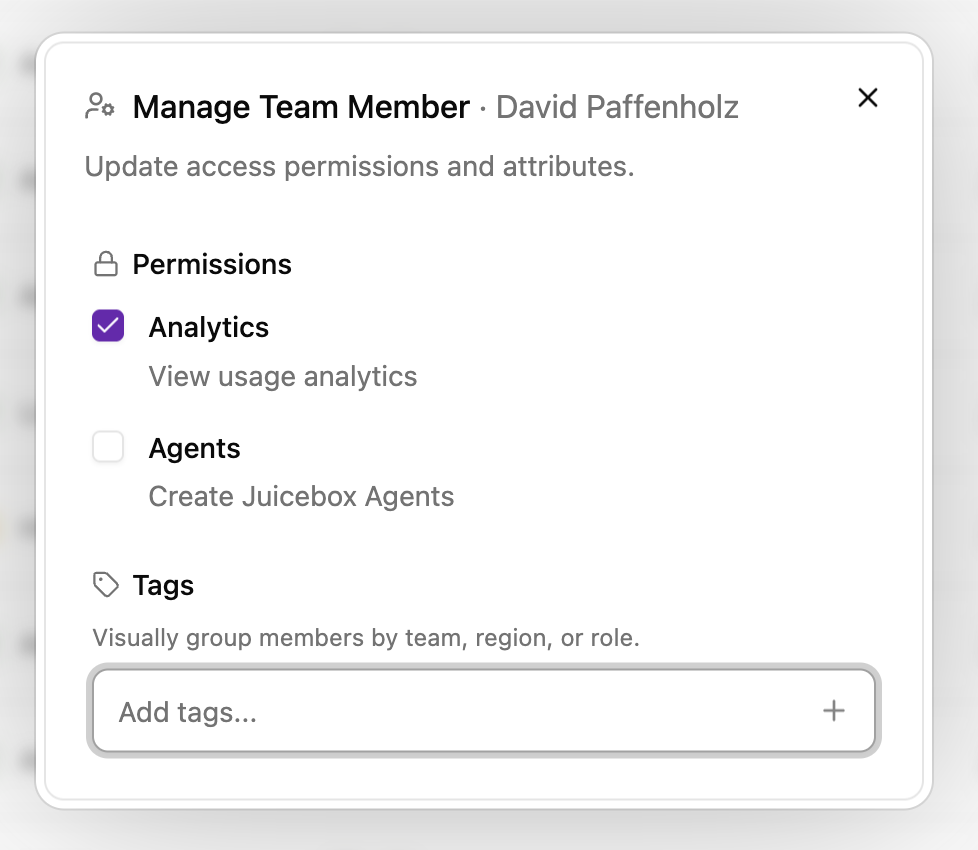
An admin license (including read-only) will be able to grant individual team members access to agents and/or analytics. To manage permissions, please:
Click on your name in the bottom left > Account Settings
Navigate to Team members (linked here)
Next, select the Settings Gear Icon for a profile you would like to change permissions for (first icon under Actions)
Select or unselect Analytics or Agents, or assign a tag to any team member as needed