How can I change my organization name?
Last updated: July 2, 2026
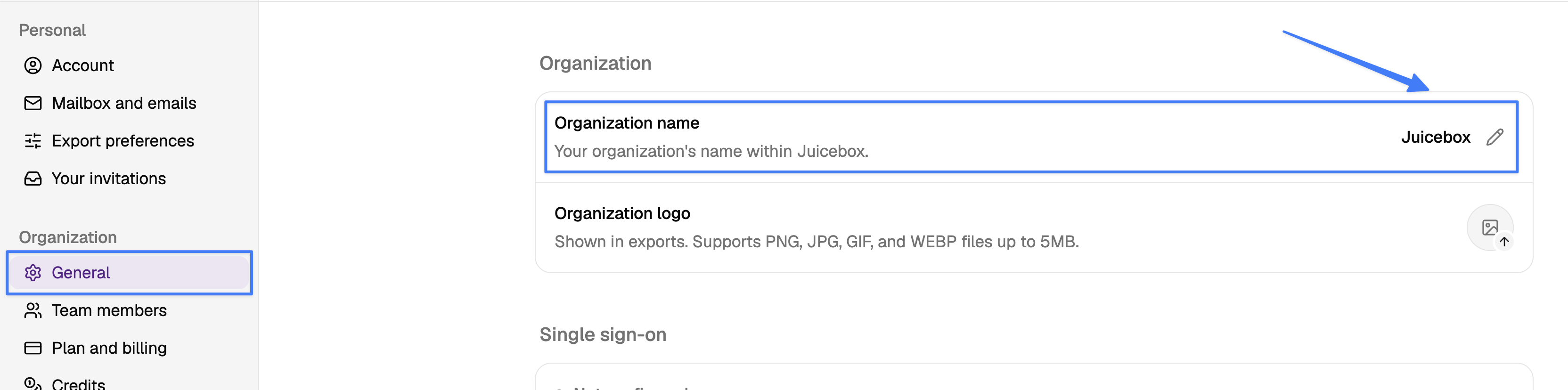
To change your organization name, click on your name/organization at the lower left corner of Juicebox, then select Account Settings > Organization> General.
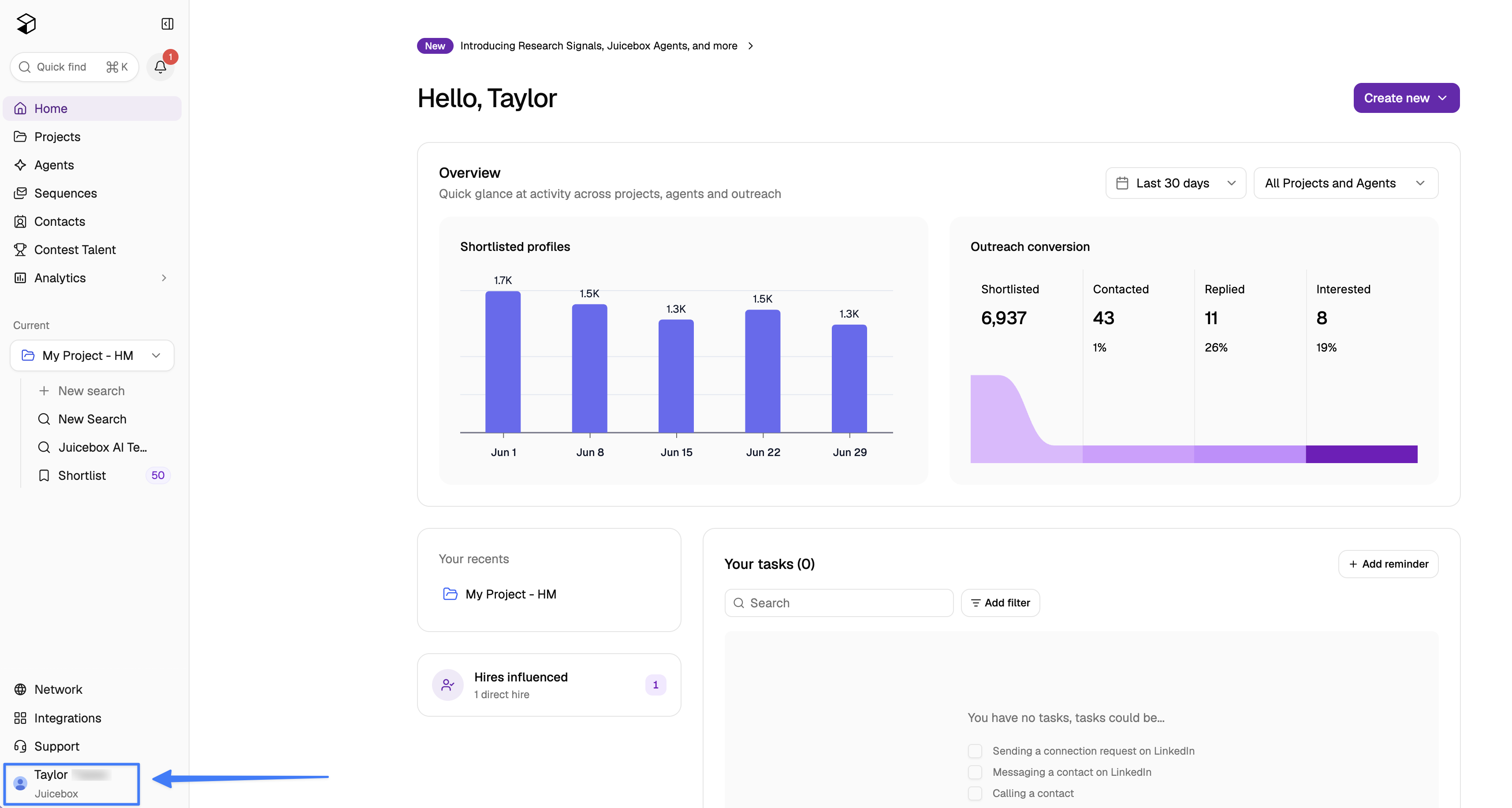
Then, click into the box with the current name of your organization, make any needed changes, then click Save Changes.
If you have any further questions or concerns, please do not hesitate to reach out to us at support@juicebox.work.