How can I add or edit my email signature?
Last updated: July 7, 2026
Add your email signature or edit to include it in the email sequencing.
To do so, follow the steps below:
Click Integrations in the bottom left of the screen.
Locate the Signature section and select Manage Signature.
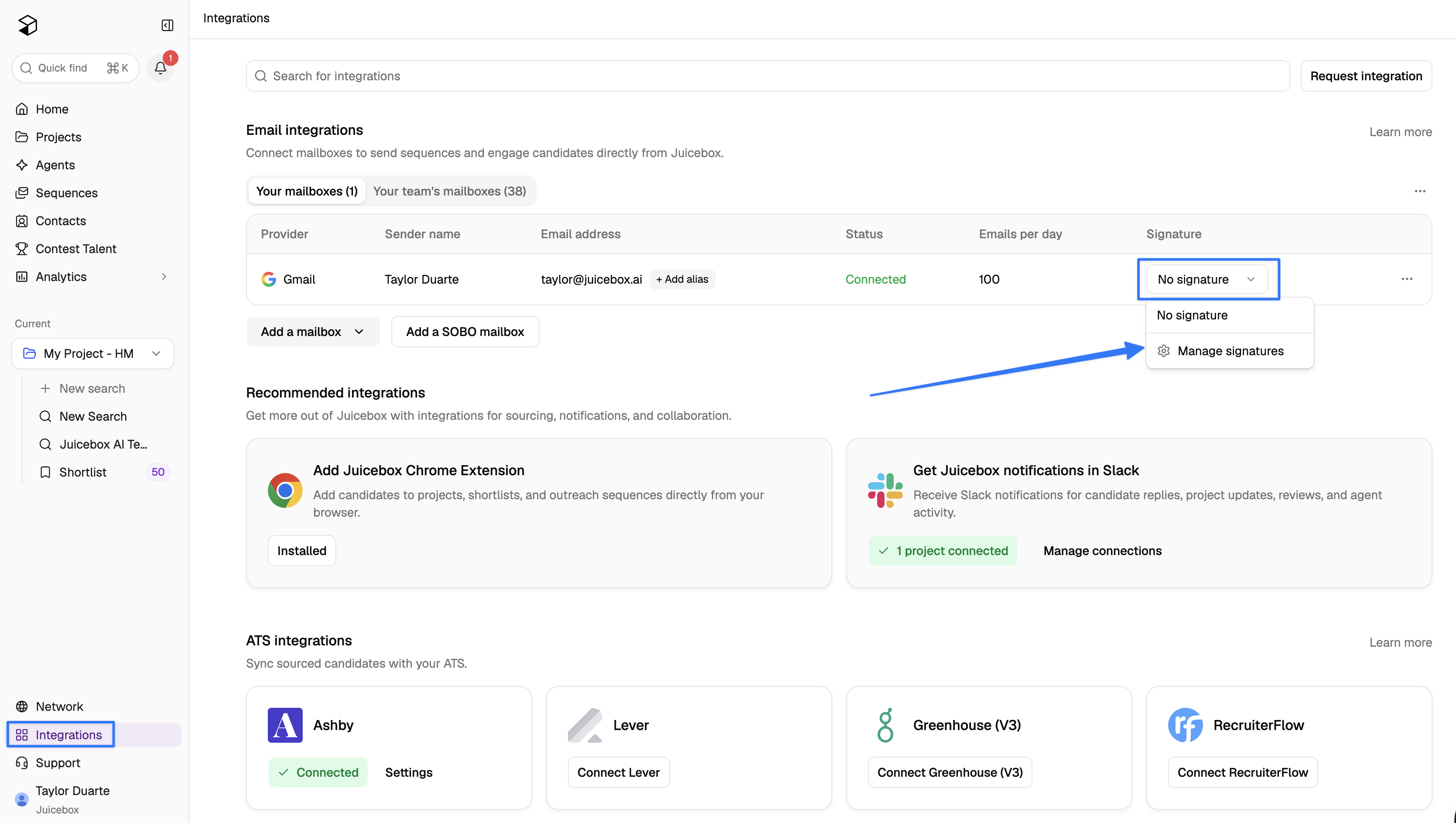
From here, you can create a new signature or edit your existing one.
If you continue to run into any issues, please don't hesitate to reach out via the in-app support button or by emailing us at support@juicebox.ai.